 Taskriz
What AI Still Can’t Do For You (We Found Out the Hard Way)
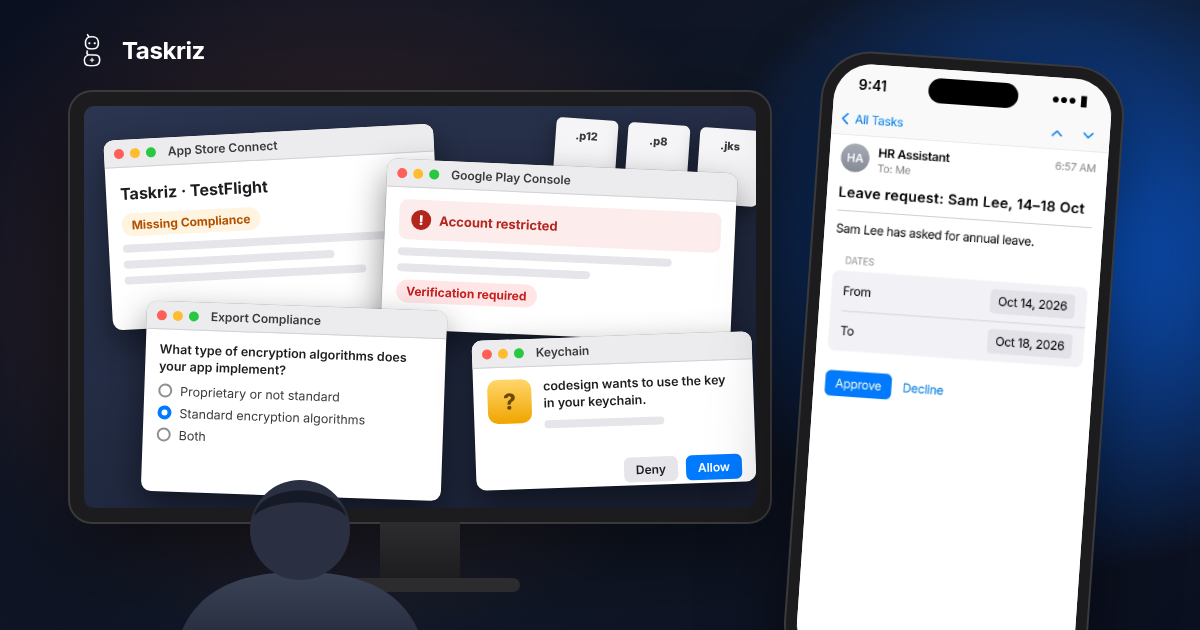
Everyone is telling you AI can do it all now. Write the code, test it, ship it. And honestly? A lot of the time it can. But there’s one job it just can’t do for you, and it took us a solid day and a half to find out how big that job really is.
Writing the app was the easy part
We’ve been building Taskriz, a simple way for AI Agents to ask a person for a decision, some information or an action, and get the answer straight back. People already answer on the web, and get a nudge by email or text message. Next up were our own iPhone and Android apps.
Writing those apps with AI by my side went faster than I ever expected. Screens, sign in, notifications, the lot. Then came the part nobody puts in the demo video: getting the apps into the stores.
Round after round with Apple
To put an iPhone app in front of anyone, even just your own team in TestFlight, you need an Apple developer account, a record for the app in App Store Connect, certificates, provisioning profiles, a key for push notifications, and a Mac with the right version of Xcode. Which, of course, needed a newer macOS first.
Then the rounds started. Our build wouldn’t sign from a script because the Mac’s keychain wouldn’t unlock for it. Automatic signing wanted a registered device, and we didn’t have one, so we set up distribution signing by hand.
The first build uploaded fine and then just sat there, marked Missing Compliance, waiting on Apple’s export compliance questions about encryption. I tried answering them through Apple’s API. Apple said no. I tried putting the answer in the app itself. The upload failed validation. In the end the questions had to be clicked through on a web page, by the account holder, because a developer role isn’t allowed to answer them. Only then could we see what Apple had recorded and make the app match.
Even inviting testers had its moments. You can send an invitation through the API, but you can’t cancel one. That’s another trip back to the web page.
None of this is hard, exactly. It’s just that every step lives on a different page, behind a different role, and the instructions you find are often for how it worked last year.
And then there’s Google Play
Android should have been the easy one. The app was ready, the bundle was built and signed. Then we found our Google Play developer account was restricted. Google brought in new rules for verifying developers, and our account got caught on the wrong side of them. So now we’re uploading documents and waiting. We’re still waiting as I write this.
Around all that there’s a Firebase project to create for notifications, a service account key to make, and the fingerprint of Google’s own signing key to add to our website so a link opens the app instead of a browser. That last one we can only get after Google Play accepts our first upload. Round and round we go.
The rules change under your feet
Here’s the bit that really gets me. Apple and Google change their policies all the time, usually for good reasons. But when they do, the process you followed last time just breaks. A screen moves. A new question appears. A step that used to be optional isn’t anymore.
You only find out when something fails. Then you go hunting through help pages and forums to work out what’s needed now, and which page you’re supposed to enter it on.
AI can’t help much here. It learned how the process looked months ago. It can’t see your account, it can’t see the new screen, and it can’t click Accept on your behalf. It can make a confident guess, and a confident guess is the last thing you want anywhere near your developer account.
What about those AI browser plugins?
I know what you’re thinking. There are AI plugins now that will drive your web browser for you. Install one, sign in, and let it click its way through App Store Connect and the Google Play Console.
Please don’t. Think about what that plugin can see and do: your signed in developer accounts, your signing certificates, your payment details, and the power to publish an app under your name. Every web page it reads could carry hidden instructions for it to follow. Handing all of that to a browser plugin is a security risk no one in their right mind should take. These accounts are the keys to your business. Keep your own hands on them.
So why am I telling you all this?
Because we’re going through it so you don’t have to. It took a solid day and a half just to lay the foundations for the iPhone and Android apps, and that’s before crossing our fingers that Apple and Google Play approve them.
If you’re building AI Agents and workflows, you shouldn’t have to go through any of that just so a person can answer your Agent. With Taskriz, your Agent sends the request, the right person gets it wherever they are, they answer it, and the answer goes straight back to your Agent.
Yes, there’s a web version of Taskriz, and it’s great. But not everyone wants to live in a web browser all day, and nor should they. AI, like every technology before it, is meant to make life easier and free us up to do other things.
That’s exactly what Taskriz is about. Helping you respond to requests quickly and easily, wherever you are, without signing in to yet another application, remembering yet another password, and landing on a page wondering, what was I meant to do here?
So let AI do the work it’s good at. We’ll keep wrestling the app stores.