 Taskriz
Website Chat
An AI front desk for your website. Visitors ask for what they need in plain words; Taskriz turns it into the right booking form, right there in the chat, and what they send lands in your Taskriz inbox.
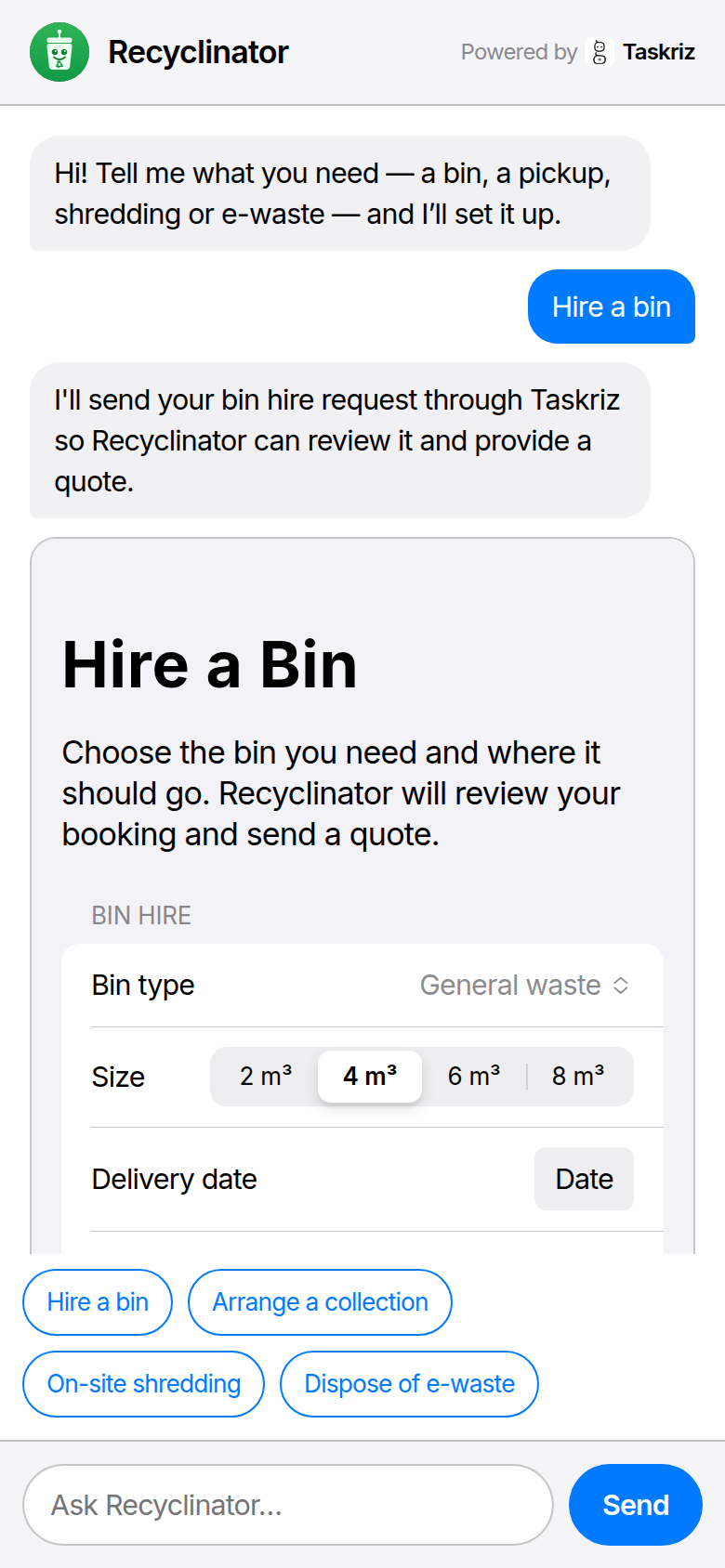
How it works
A visitor asks
In the chat on your website, in their own words — “I need a skip bin next week” — or by tapping one of your suggestions.
Taskriz builds the form
Taskriz’s AI knows what your business offers and turns the message into the right form: the details you need, and the visitor’s name, email and mobile so you can follow up.
It lands in your inbox
When they send it, a summary — what they asked for, their own words, their contact details and answers — arrives in your Taskriz inbox from your Agent, and can be emailed to an address you choose too, where replying goes straight to the visitor.
See it working on the live demo: a recycling company, Recyclinator, with Website Chat on its site.
Set it up
Create a free account
No card needed. Start free.
Make an Agent for your business
In Taskriz, open Settings → Developer and choose New Agent. Name it after your business — your visitors see this name in the chat. Its credentials are for developers; you can skip them.
Add your website
On the Agent’s page, under Add a Website Embed, enter your website’s address (for example https://www.yourbusiness.com), and if you like a greeting and a sentence about what your business does — it helps the AI build the right forms. Choose Create Embed.
Paste it into your website
Copy one of the two snippets Taskriz gives you and paste it into your website — most website builders have an “embed code” or “custom HTML” block for this.
Chat button
A chat button in the corner of every page it’s on. Visitors tap it to open the chat; on a phone it fills the screen.
Inline chat
The chat itself, right where you paste it — on a bookings or contact page, for example.
Yours, and only on your website
- One website. The chat works only on the one website you enter; browsers won’t show it anywhere else. Change the website, or switch the chat off, at any time.
- No cookies, no tracking. The chat sets no cookies and doesn’t measure your visitors.
- Their details go to you. What a visitor sends goes to your Taskriz inbox, for you to follow up.
What it costs
Website Chat is included in every plan, for now — including Free. See Pricing for the plans.
Questions
- Do my visitors need an account or an app?
- No. They type in the chat on your website and fill in the form it shows them — nothing to sign up for or install.
- Where do bookings go?
- To your Taskriz inbox, from your Agent — and, if you like, emailed to an address you choose (Taskriz sends it a code to confirm it), where replying goes straight to the visitor. Each booking is a summary: what they asked for, their own words, their name, email and mobile, and their answers.
- Can I use it on more than one website?
- Each Agent’s chat works on one website, the one you enter when you set it up. You can change that website at any time in the chat’s settings.
- What does it cost?
- Website Chat is included in every plan, for now — including Free. The AI that builds each form is on us while Website Chat launches.
- Can I try it first?
- Yes — the live demo shows Website Chat on a business’s website, exactly as your visitors would see it.
- My website has a Content Security Policy. Will it work?
- Yes, if your policy lets the page show a frame from Taskriz. The Developers page explains what to add.