 Taskriz
Three Quotes for a New Cleaning Contractor
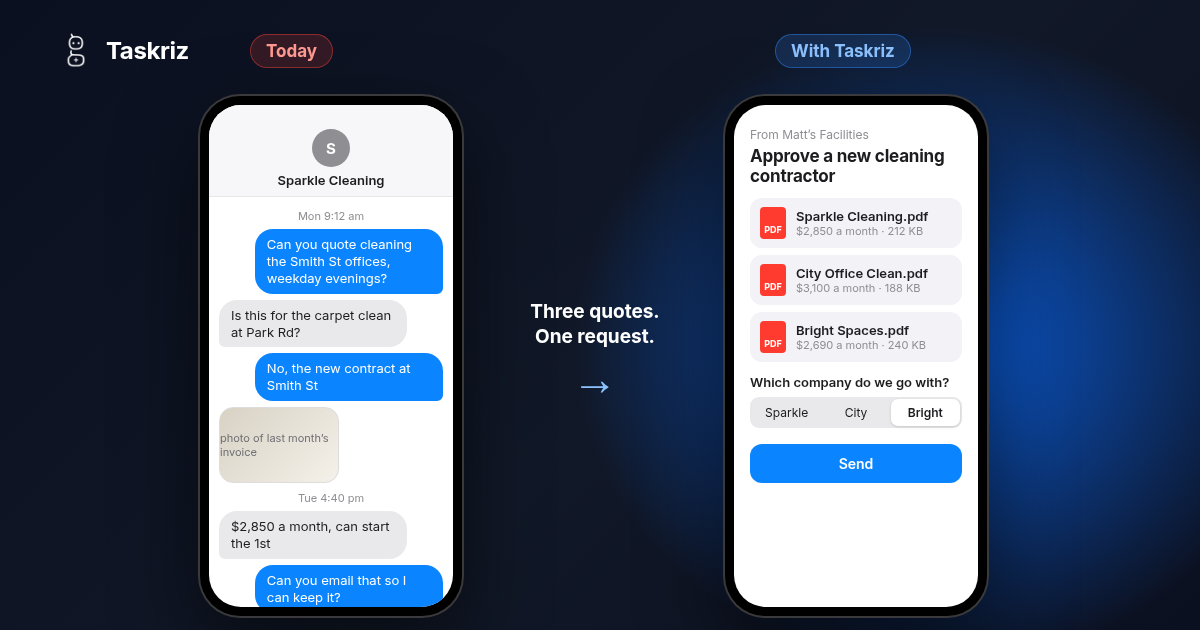
Matt is a facilities manager at a small company. When he told me about his week, one job said it all: finding a new cleaning contractor, and the three quotes his company needs before he can choose one.
The contract
The cleaning contract for the offices Matt looks after is coming to an end, and the current cleaner won’t be renewing. The building still needs cleaning every weekday, the bathrooms stocked and the bins out, and Matt has a few weeks to get someone new in place.
He can’t just ring the first cleaning company he finds. Company policy says he needs three quotes, and one of them has to be approved before a contract is signed. It’s a sensible rule. It’s also where his time goes.
Three quotes, three ways
Matt sends each cleaning company an email and a text with what he needs: the address, the size of the offices, how often, and when they could start. Then he waits. Sometimes a quote is back the same day. Sometimes it takes a week and a few reminders. Either way, he has to collect every reply until he has all three, so he can send them on for approval.
A quote by email is the easier kind. He still has to pull the details out of the message and save the attachment somewhere he can find it again.
A quote by text is fast, and most of the contractors he deals with prefer to text. But to keep it, Matt selects the text, saves the photos and attachments, and emails them all to himself so they are with the job.
The hard part comes when he has a few jobs on the go with the same contractor. Texts aren’t threaded the way emails are. One company’s price for the new contract sits between a question about a carpet clean at another building and a photo of last month’s invoice. Working out which message belongs to which job is a chore every time.
Why the usual fixes don’t help
A form doesn’t fix it. Most businesses have one form for every job: the same boxes whether it’s a new cleaning contract or a dripping tap. One form for every job can’t ask the right questions for this one, so the answers still come back by text and email. And contractors won’t go looking for a link. A supplier portal is worse: one more login that a busy contractor won’t create. And a spreadsheet only moves the copying and pasting to a different screen.
The same job with Taskriz
I showed Matt how the same job looks with Taskriz.
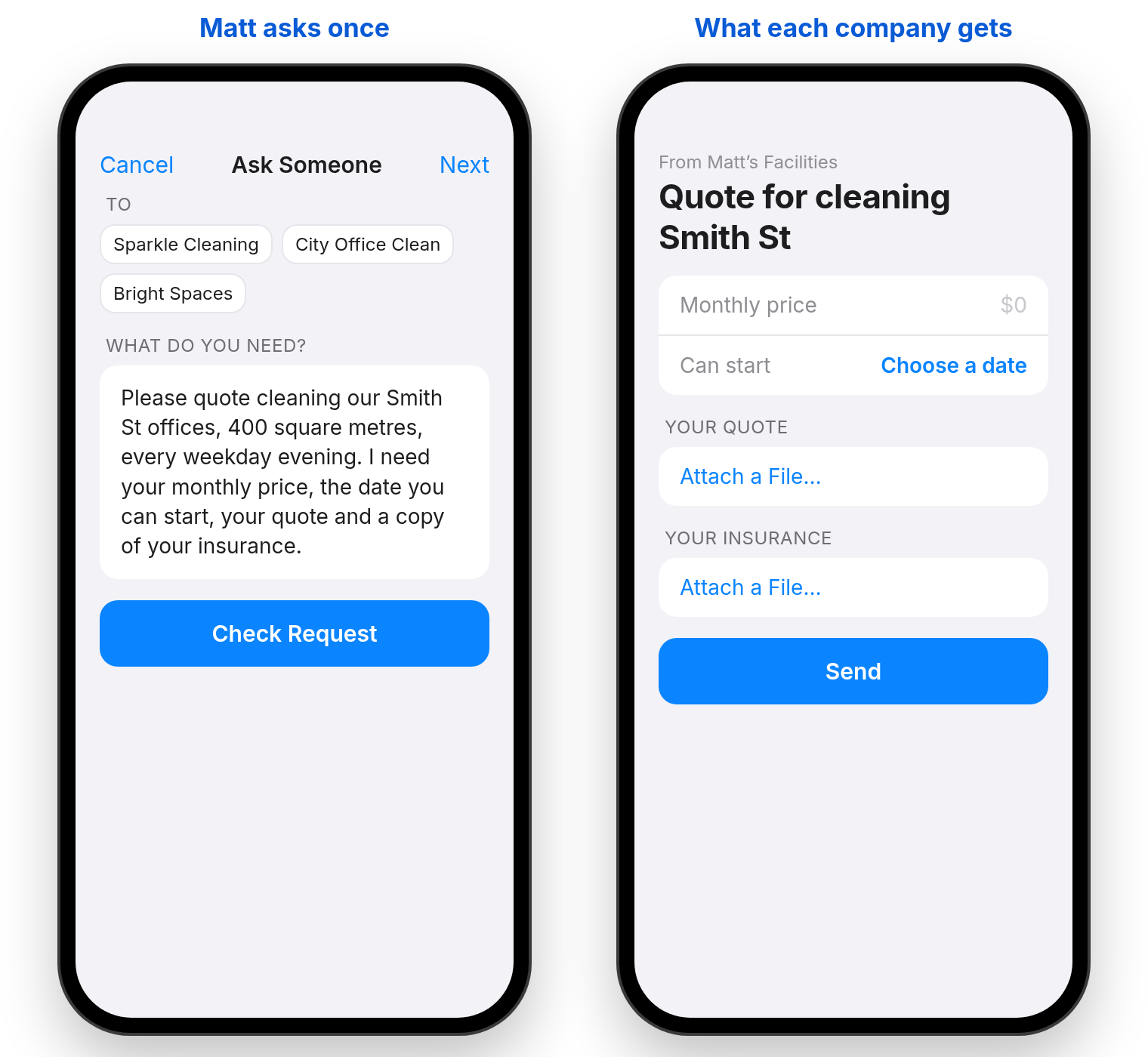
He writes what he needs once, in plain words: the address, the size of the offices, cleaning every weekday evening, and a request for a monthly price, a start date, their quote and a copy of their insurance. He picks the three cleaning companies and sends it. Taskriz makes the screen they answer on, with a place for the price, a date to choose and a button to attach their quote.
Each company gets it by text or email and opens it straight away. They don’t install an app, they don’t create an account and they don’t log in to a portal. They answer from their phone, attach their quote and their insurance, and they are done.
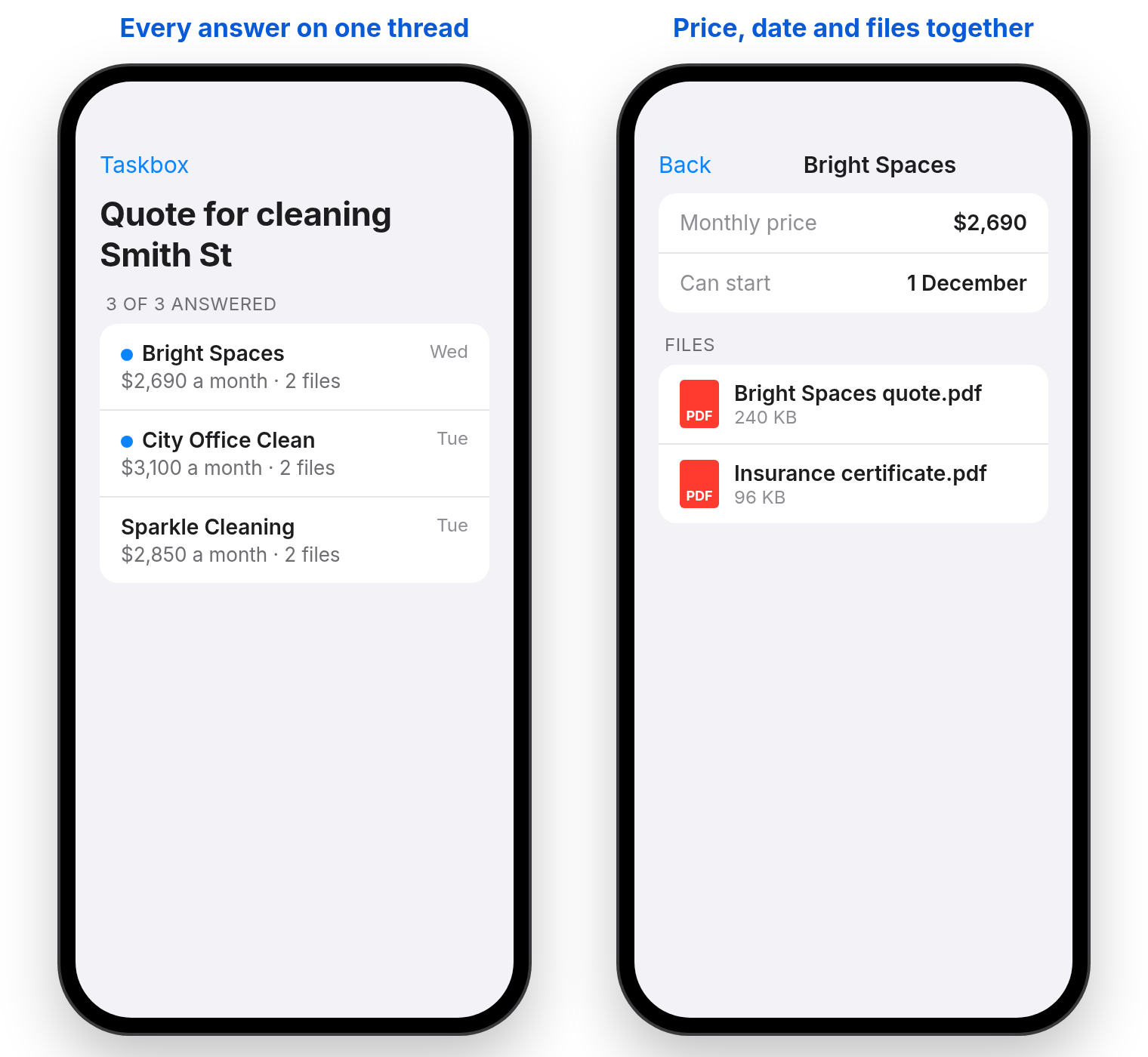
Every answer comes back into Matt’s Taskbox on the same thread, with the company’s name, their price and their files attached. Nothing to copy, nothing to forward to himself, and no scrolling through texts to find which job a message was about.
Getting it approved
Once all three quotes are in, Matt sends one more request, this time to the person who approves the contract. He adds the three quotes straight from his Taskbox, asks which company to go with, and sends it.
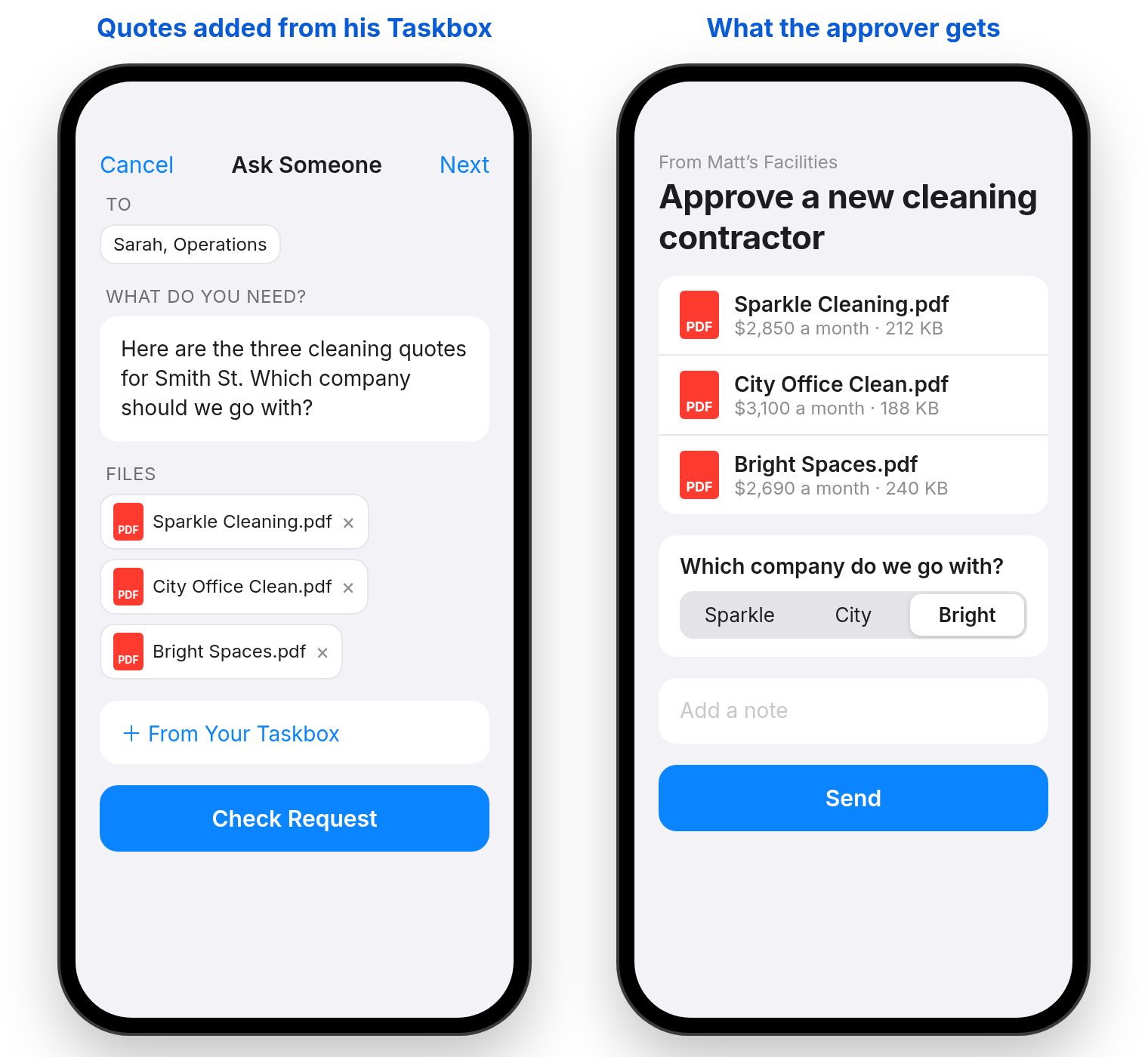
The approver opens it the same way the cleaning companies did, sees all three quotes attached, picks one and adds a note if they need to. The answer lands back with Matt, on the thread, with the company that was chosen. He signs them up, and the offices are cleaned from the first day of the new contract.
From the first request to the approval, everything about the job is in one place. If someone asks later why a company was chosen, the quotes and the decision are right there.
Use it today, connect it tomorrow
Matt’s company is looking at more automation in its back office, as most small businesses are. He doesn’t have to wait for that. He can use Taskriz today, from the web or the app, and when the business is ready to automate, its systems can send the same requests through the Taskriz API and get the answers back.
Matt’s reaction was the best part. Less chasing, less copying and pasting, and no more emailing texts to himself. He gets the same three quotes with far less work. Matt says I’ve made his Christmas card list. Hopefully he’ll use Taskriz for that too.
Where Taskriz fits
Taskriz sends the people you work with a request made for the job, and brings their answer back to you, files included. It’s not a chatbot and it isn’t another form to chase. If you manage properties or facilities, see how it works for property management. If you build the software businesses like Matt’s use, see For Software Companies.